
2.2 KiB
2.2 KiB
Shelly Smoke to Alamos forwarder
This tool was developed to use the relativly cheap Shelly Plus Smoke detectors in combination with Alamos as alarming software. The smoke detector will trigger a webhook from the API server, which then will forward the alarm to Alamos.
Installation
- Download the latest version here: https://s3.jonasled.de/shelly-smoke-alamos/shelly-smoke-alamos-windows-amd64.exe
- Dowload the Non-Sucking Service Manager: https://nssm.cc/
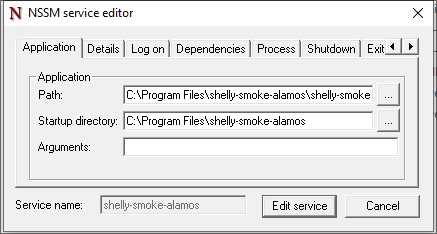
- Register a new Windows Service for starting the forwarder in the background by calling
nssm install shelly-smoke-alamosusing powershell. - Configure the service like in the screenshot described. You can change the folder to any folder you like to use:
- Go into the Alamos FE2 webui and create a external connector:
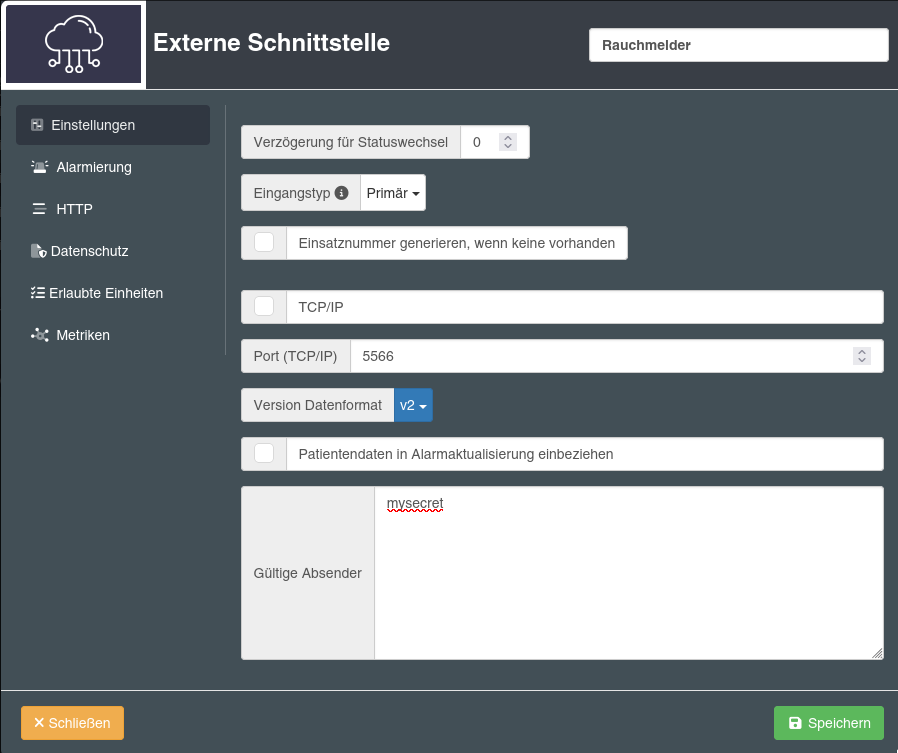
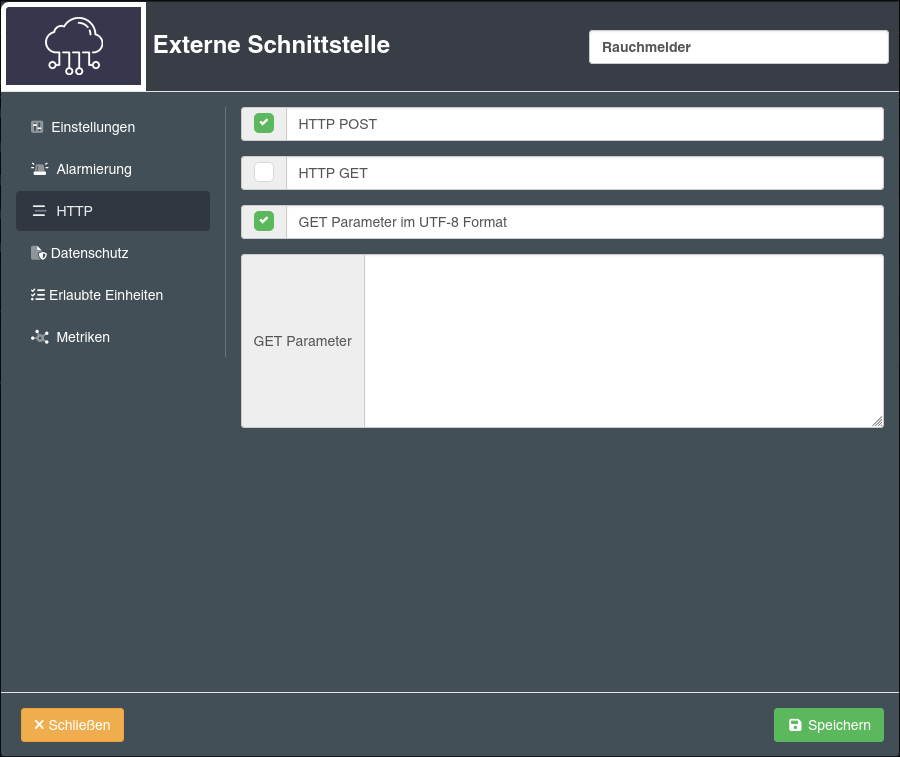
- Download the example config file from this repo (
config.yaml.example) and place it asconfig.yamlin the same folder as theshelly-smoke-alamos-windows-amd64.exefile. - Configure your alamos connection in the config file. The secret must be the same as the valid sender option on the FE2 configuration.
- Create your smoke detectors. As name you can use anything to identify the smoke detector in your alarm later. For the id use a random character string and for target select your alamos target configuration.
- Start the
shelly-smoke-alamoswindows service. - Allow connections from your smoke detectors to Port 8080 in you windows firewall.
- Configure your smoke detector to connect to your WiFi and add two automations:
- When smoke detected trigger this URL:
http://<ip of your server>:8080/api/webhook/<smokedetector id> - When the test button is pressed, trigger this URL:
http://<ip of your server>:8080/api/webhook/<smokedetector id>/test. When you're missing the test function in the automation, your smoke detector is running a older firmware release and you first have to update the sensor.
- When smoke detected trigger this URL: